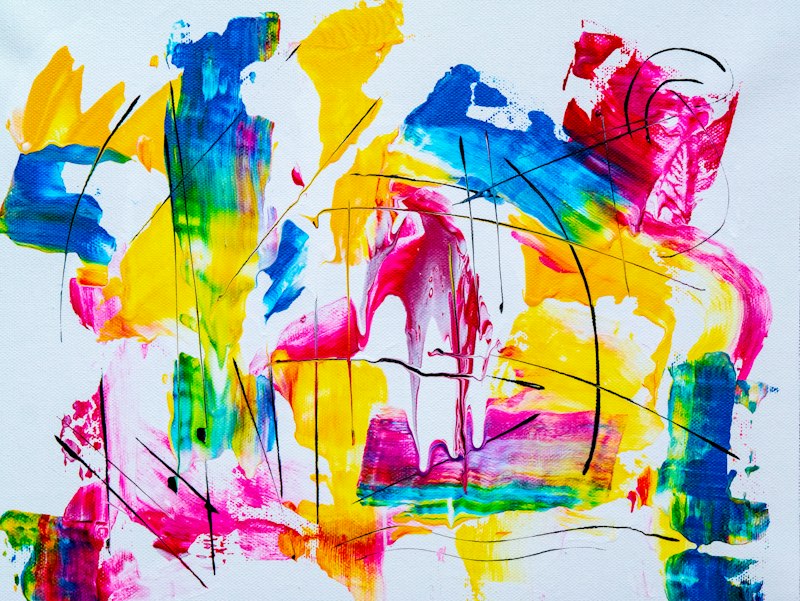
Do you want to make cool pictures without any drawing skills? Now you can! Free AI image generators let you create amazing images just by typing words. In 2026, these tools are better than ever. Best of all, many need no sign-up at all. In this guide, we explain everything in easy words so you can start making art today.
Just a few years ago, making digital art was hard. You needed special skills and costly software. But now, an ai image generator online does it all for you. You type a sentence, and it creates a picture in seconds.
Let us look at the 10 best free tools, how to use them, and tips to get beautiful results every time.
What Is an AI Image Generator? (Simple Explanation)
An ai image generator is a tool that makes pictures from your words. You type a description, called a prompt. The tool then draws that image for you.
Think of it like talking to a magic artist. You say "a cat wearing a red hat sitting on the moon," and the artist paints it instantly. That is exactly what these tools do.
The technology learned from millions of real images. So it knows what cats, hats, and moons look like. It mixes these ideas to create brand new pictures that never existed before.
The results can be stunning. You can make art, logos, social media posts, and more. And with a free ai image generator no sign up, you can start right away without giving any details.
Why Are Free AI Image Generators Popular Right Now?
AI image tools have become a huge trend. Here is why so many people use them in 2026:
- No skills needed: You do not need to know how to draw or paint at all.
- Super fast: You get a finished image in just a few seconds.
- Free to use: Many tools cost nothing and need no account.
- Saves money: No need to hire an artist for simple images.
- Endless ideas: You can create anything you can imagine.
Reports show that people created over 15 billion AI images in the past year alone. That number keeps climbing. From students to business owners, everyone is trying these tools.
Social media is full of AI art now. Businesses use it for ads. Bloggers use it for their posts. The trend is growing fast and shows no signs of slowing down.
10 Best Free AI Image Generators in 2026
Here are the top free ai image generators you can try today. We chose these because they are easy and give great results.
1. Microsoft Designer (Image Creator)
Powered by advanced AI, this tool makes high-quality images for free. It is great for beginners and works right in your browser.
2. Google ImageFX
Google's own image tool. It is fast and makes detailed, realistic pictures. The simple design makes it easy to use.
3. Canva AI
Canva added AI image making to its design tool. Perfect if you want to create art and design posts in one place.
4. Leonardo AI
This ai image generator online gives you many free images each day. It is loved for its high-quality art and game-style images.
5. Bing Image Creator
A free tool from Microsoft Bing. Just type your idea and get four images to choose from. No cost involved.
6. Craiyon
One of the most famous free ai image generator no sign up tools. It is simple, fun, and totally free to use.
7. Playground AI
Gives you many free images daily. It has lots of styles to pick from, making it great for creative projects.
8. Ideogram
This tool is special because it is great at adding text to images. Perfect for posters and logos with words.
9. Stable Diffusion (Online Versions)
A powerful open tool. Many websites offer it for free. It gives you a lot of control over your images.
10. Fotor AI
An easy image generator online that also edits photos. Good for both making and improving pictures.
💡 Helpful Tip: Start with Microsoft Designer or Bing Image Creator. They are free, need little setup, and give great results. Once you learn how prompts work, try the others for different styles.
How to Make AI Images — Step by Step
Making images is incredibly easy. Just follow these simple steps:
- Pick a tool. Open any tool from our list above in your web browser.
- Write your prompt. Describe what you want. For example, "a happy dog playing in a green park on a sunny day."
- Click create. Press the button and wait a few seconds.
- Look at the results. The tool shows you a few images to choose from.
- Download your favorite. Pick the best one and save it to your device. Done!
That is all there is to it. No design skills, no hard steps. Anyone can make beautiful images this way, even on the very first try.
How to Write Better Prompts (Get Amazing Results)
The secret to great AI images is the prompt. A good prompt gives a great picture. Here is how to write one:
- Be specific: Instead of "a dog," say "a small brown puppy with big eyes."
- Add a style: Try words like "cartoon style," "realistic photo," or "oil painting."
- Set the scene: Add details like "at sunset" or "in a snowy forest."
- Mention colors: Say "bright colors" or "soft pastel tones."
- Add mood: Words like "happy," "calm," or "dramatic" change the feeling.
The more details you add, the closer the image will match your idea. Play around and have fun with different words.
Real-Life Example: How Meera Saved Money
Meera started a small online shop selling handmade jewelry. She needed nice pictures for her ads. But hiring a designer was too costly for her small budget.
Then she found a free ai image generator. Now she creates beautiful background images and ad designs herself, for free.
"I was amazed," Meera says. "I typed what I wanted, and the tool made it. I saved thousands of rupees that I would have paid a designer. Now I make all my own images."
Meera's story shows how these tools help small businesses. They make professional-looking images possible for everyone, even with no budget.
Common Questions People Ask
Are free AI image generators really free?
Yes, many are completely free. Some give a limited number of images per day. But you can make plenty without paying anything.
Can I use the images for my business?
Usually yes, but always check the rules of each tool. Some allow commercial use, and some have limits. Read the terms first.
Do I need to sign up?
Not always. Many tools, like a free ai image generator no sign up, let you start right away with no account needed.
Why do some images look strange?
AI is not perfect. Sometimes hands or faces look odd. Just try again with a clearer prompt, and it usually improves.
Quick Tips to Get Started
- Start simple with a clear, short prompt.
- Add details like style, colors, and mood for better results.
- Try the same prompt a few times to get different options.
- Experiment with different tools to find your favorite.
- Save the prompts that work well so you can reuse them.
Different Styles You Can Create
One of the best things about an ai image generator is the variety. You can make almost any style of image. Here are some popular ones to try.
Realistic Photos
Want an image that looks like a real photograph? Just add "realistic photo" or "4k photo" to your prompt. The tool creates lifelike images.
Cartoon and Anime
For fun, colorful art, try "cartoon style" or "anime style." These are great for social media and playful projects.
Oil Paintings and Art
You can make images that look like classic paintings. Add words like "oil painting" or "watercolor" to your prompt.
Logos and Designs
Some tools are great for simple logos and graphics. This helps small businesses create a brand look for free.
The choice is yours. Mix and match styles to find what works best for your needs.
Things to Keep in Mind When Using AI Images
While these tools are amazing, there are a few things to remember. Being aware of these helps you use them wisely.
- Check the rules: Each tool has its own rules about using images for business.
- AI is not perfect: Sometimes faces or hands look strange. Just try again.
- Be original: Do not copy famous artists or brands. Make your own unique art.
- Quality varies: Free tools are good, but paid ones may give sharper results.
Keep these points in mind, and you will have a smooth, fun experience making images.
How Businesses Use AI Images
It is not just for fun. Many businesses now use an ai image generator online for real work. Here are some common uses.
Small shops use them for product ads and social media posts. Bloggers use them to make their articles look nicer. Teachers use them to create fun learning materials for kids.
Even big companies use AI images for quick ideas and early designs. It saves them time and money in the early stages of a project.
The point is clear. These tools are useful for everyone, from a single person to a large business. They make good images possible for all.
Free AI Image Tools vs Paid Ones
Should you use free or paid image tools? Let us make this simple and clear for you.
Free tools are great for most people. If you make images for fun, social media, or a small blog, free tools work perfectly. They cost nothing and give good results.
Paid tools offer extra power. They often give sharper images, more options, and no daily limits. If you make images all the time for work, paid plans may be worth it.
For beginners, we say start free. Use a free ai image generator and see how you like it. Only pay later if you truly need more. Most people are happy with free tools for a long time.
Fun Project Ideas to Try Today
Not sure what to make? Here are some fun ideas to get you started with your ai image generator online.
- Make a custom phone wallpaper with your favorite colors and theme.
- Create a logo for a pretend business or your real one.
- Design a birthday card for a friend with a personal message.
- Make fun art of your pet doing something silly.
- Create social media posts that grab attention and get likes.
These projects are easy and fun. They also help you practice writing better prompts. The more you play, the better your images become.
Common Mistakes to Avoid
When you first start making AI images, you might hit a few bumps. Here are common mistakes and how to avoid them.
- Prompts too short: "A dog" gives boring results. Add details for better images.
- Giving up too fast: If the first image is bad, try again. The next one is often better.
- Ignoring style words: Always add a style like "realistic" or "cartoon" for control.
- Forgetting the mood: Words like "bright" or "calm" change the whole feeling.
- Not saving good prompts: When a prompt works well, save it to use again later.
Avoid these simple mistakes, and your images will improve right away. Practice makes perfect with these tools.
The best way to learn is by doing. So open a tool right now and make your first image. You will be surprised how easy and fun it is. Within minutes, you will have created something special.
Conclusion
The best free AI image generators in 2026 make creating art easy for everyone. You do not need any skills or money. Just type your idea, and the tool brings it to life in seconds.
Start with one tool today. Try Microsoft Designer or Bing Image Creator first. Have fun making your own images and see what you can create. You can also read our easy guide on free AI writing tools to do even more with AI.
We hope this guide helped you understand free AI image generators. Stay tuned for more simple and helpful updates!